




 戻る
戻る 
















Update May 6, 2020: Since the publication of this blog, Google has updated its UI to make the sharing options more clear and be less permissive by default, but the opportunity for exposure is still there and our recommendations still hold. We have updated the “Recommended Settings” section of this post with the new findings.
Netskope Threat Labs recently posted the second entry in our leaky cloud app series about Google Groups. In this edition, we will cover common Google link sharing misconfigurations that can lead to the accidental internal and public exposure of sensitive data, and provide recommendations to prevent such data leaks.
Google link sharing
Google provides its users online office apps like documents (via Google Docs), spreadsheets (via Google Sheets), presentations (via Google Slides), and forms (via Google Forms). All of the files created and edited through these apps are saved to Google Drive, a cloud storage service used to store, synchronize, collaborate, and share files.
The files stored in Google Drive can be shared by the owner with other users in real time by using a shareable link with the following permissions:
- Public on the web
- Anyone in the public Internet can discover and access the shared file.
- Anyone with the link
- Anyone with the link can access the shared file.
- Specific people
- Only the specific Google accounts can access the shared file.
- Anyone at Organization can find and access (Business accounts)
- Everyone in the same organization can discover the file using the search function and access the file.
- Anyone at Organization who has the link can access (Business accounts)
- Everyone in the same organization who has the link can access the file.
These shareable link and editing permissions are set by the owner and enable the collaborators to view, comment, or edit the document.
Google link sharing – Misconfigurations
Misconfigurations in link sharing settings can lead to accidental exposure of sensitive and internal data internally or to the public Internet. We will be detailing some of the most common exposure problems starting with the most public types of accidental exposure and finishing with accidental exposures that occur within an organization.
Publish to the web and Public on the web – Link sharing
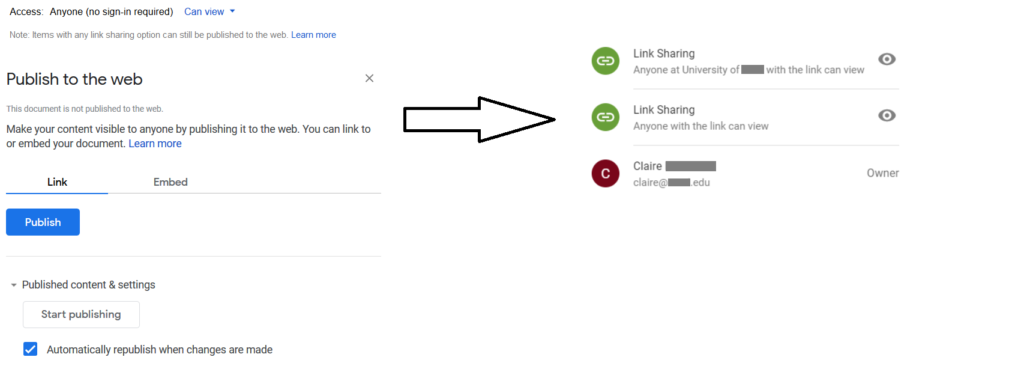
Figure 1 shows the worst kind of link sharing exposure: Publish to the web and Public on the web – link sharing
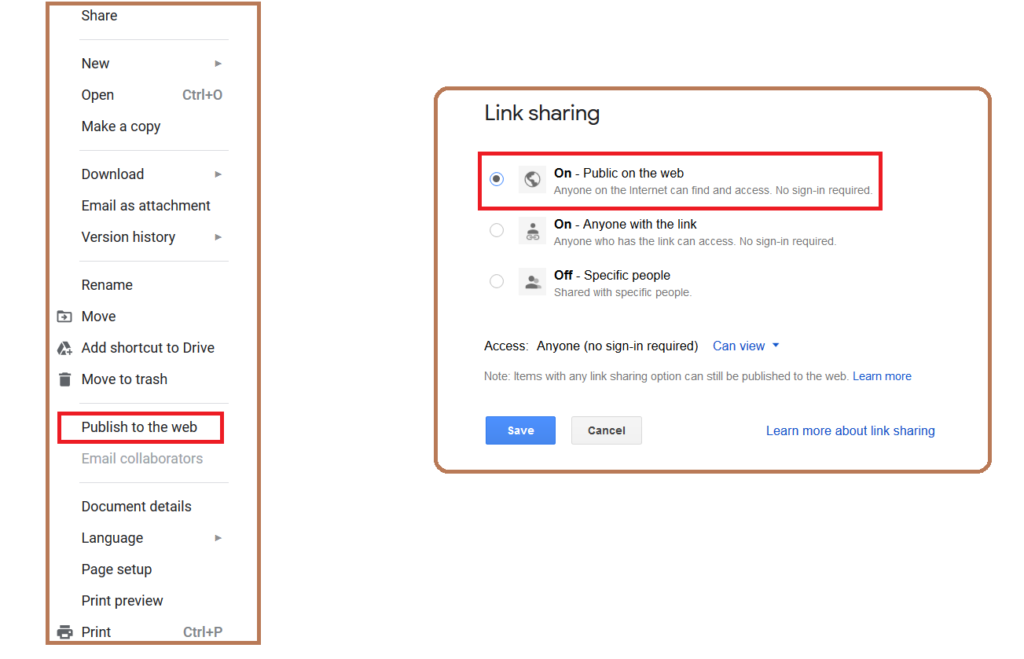
The “Publish to the web” and “Link sharing – Public on the web” options make content visible to anyone and indexed by major search engines. This means that not only is the data publicly accessible, it is also easily discoverable by outsiders using keywords in Google search results. We discovered multiple examples of sensitive documents exposed publicly on the web, including one such confidential document of a university that showed up in the Google search results, shown in Figure 2.
Get shareable link
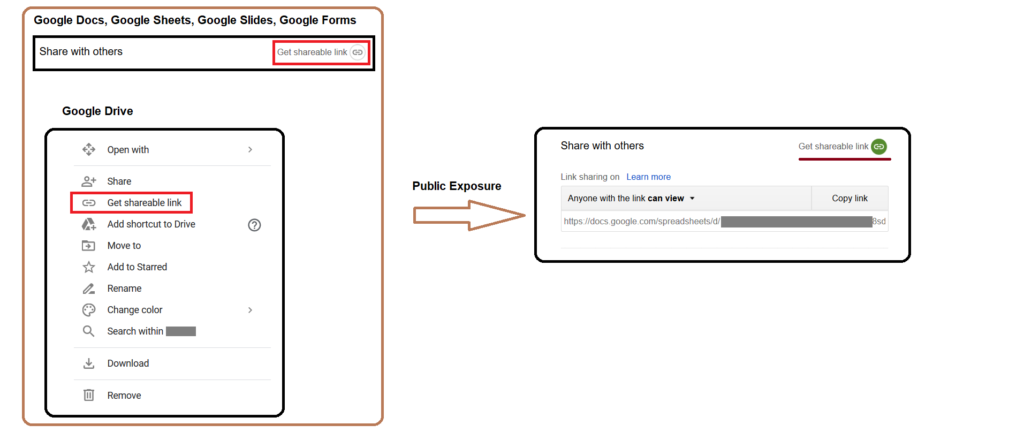
The next most commonly seen link sharing exposure is “Get shareable link.” This option is most commonly used by the data owners to generate a link that can be shared with their collaborators. The generated links have the default sharing permissions as shown in Figure 3.
Anyone with the link can view → Public exposure
As mentioned in the above image, shared links with “Anyone with the link can view” permissions can be accessed by anyone who has the link, without any need to sign in. Though this won’t make the data indexable by search engines, it can likely pose exposure concerns in the following ways
- Anyone, inside or outside of your domain, you didn’t intend to share the document with can access the file if they get their hands on the link
- The user can have access to the shared links even after leaving the organization
Anyone in the organization can find and access→ Internal exposure
The “Anyone in the organization can find and access” sharing option can make the data findable and accessible by anyone in the organization as shown in Figure 4.
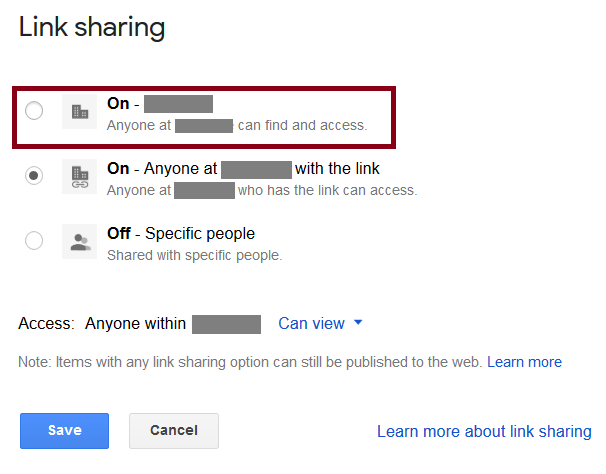
This sharing feature can lead to internal exposure because, any user within the organization can gain access to confidential files by using the keywords in the search feature of Google Drive as shown in Figure 5.
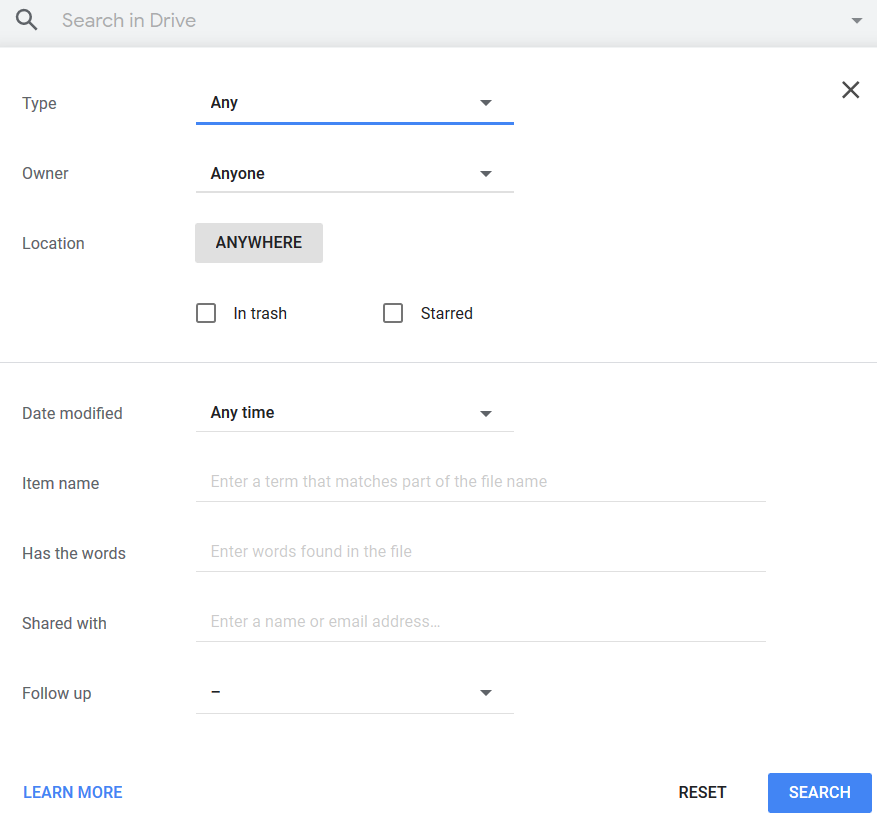
An example of one such confidential document that showed up by using “salary” as a keyword in Google Drive search is shown in Figure 6.

Google link sharing – Recommended settings
When you use link sharing, you relinquish control over who can access your files — anyone who gets their hands on a link can access a file, whether you intended them to or not. We recommend you audit the sharing permission and limit link sharing with specific people as shown in Figure 7.
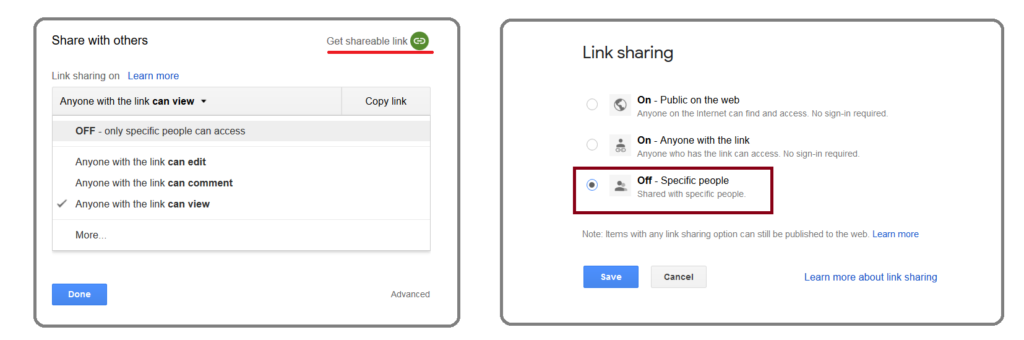
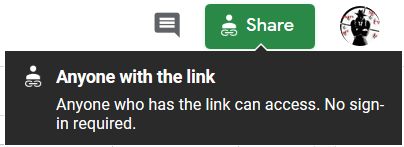
This can give the user a clear visibility on who has access to the shared data. Additionally, users can also hover the mouse to the share option (in Google Docs, Google Sheets, and Google slides) to view the sharing controls. An example of this is shown in Figure 8.
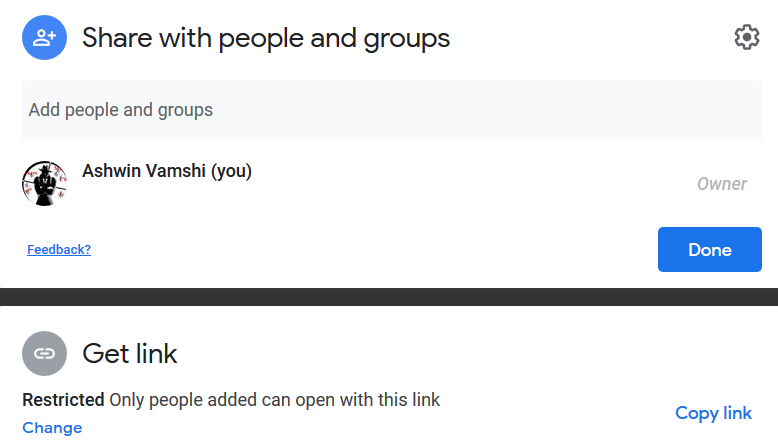
As mentioned in the introduction, Google updated their UI to make options more clear and be less permissive by default. The new default shareable link is “Restricted,” meaning it allows only the added users to access the data as shown in Figure 9.
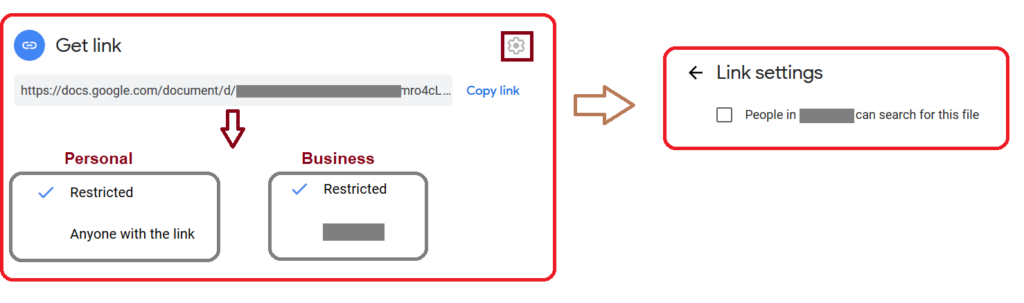
Users have to explicitly click on the “change” option to select “anyone with the link” or “anyone in the organization” options, as shown in Figure 10. Additionally, the “Anyone in the organization can find and access” sharing option can only be enabled by explicitly checking the link settings options.
Even with the less permissive defaults and new interface, the opportunity for exposure exists and our recommendations still hold.
Conclusion
This third edition of our leaky cloud apps series provided a detailed synopsis of how confidential information gets leaked through misconfigured Google link sharing. The data created/stored in Google Drive is private by default. Misconfigured sharing controls are in place, which can lead to public or internal exposure. The data can be copied, reused, and also benefit adversaries in gaining access to additional data and infrastructure. We recommend auditing link sharing options and restricting access to specific users to avoid accidental exposure. For more information about sharing permissions, we recommend reading the Google article describing how to audit your own settings.


 ブログを読む